 Android app
3D Result Today for Android
Check Swertres, EZ2 and other Philippine lotto results on your phone.
- Follow your favorite games
- Browse results by date
- Keep your saved picks together

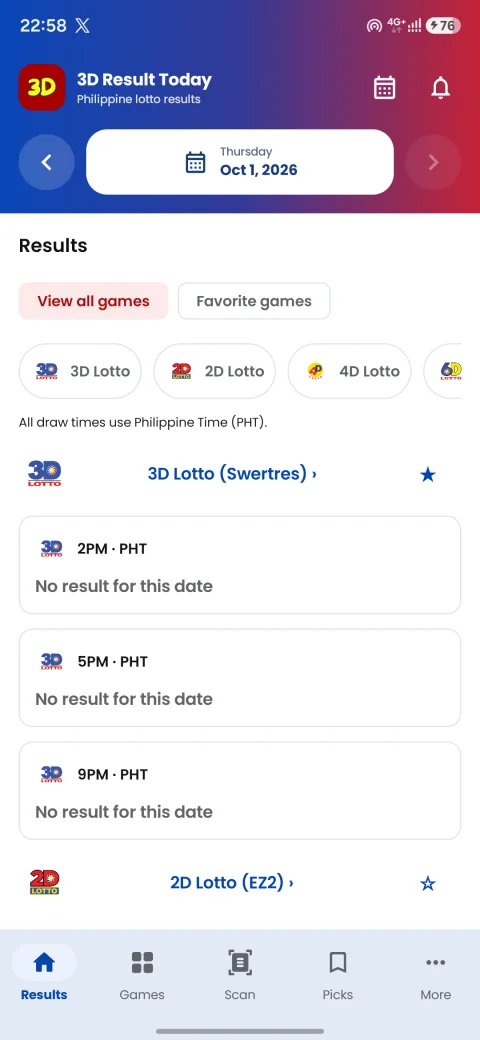
Check the games you follow
Open a game to see its results. Use the calendar or the date arrows to check another day. Mark your favorite games to find them faster.
Draw times use Philippine Time. Always check the game and date before comparing your ticket.
Look up past results
Browse a game’s history or choose a date from the calendar. Charts and number counts show what happened in past draws; they cannot tell you what will come out next.
Save picks and scan tickets
Saved picks
Save your numbers with the game and draw date. You can edit or delete a pick and compare it with a result. Saving a pick does not place a bet.
Ticket scanner
Open Scan and allow camera access to read a ticket. Check the numbers and date before saving them—the camera can read a number incorrectly.
Copy or share a result
Copy the winning numbers or send a result card from the app. The game and draw date help the person receiving it check the right result.
Set up alerts and your widget
Result alerts
Allow notifications, then choose the games you want alerts for. You can turn them off in the app or Android settings. Your connection and phone’s battery settings can delay notifications.
Home-screen widget
Add the widget from the app settings or your phone’s widget menu. Choose your favorite games and tap Refresh when you need an update.
When you’re offline
You can still read results already saved on your phone. Look for the offline label and last update time. Reconnect to check for newer results.
Install the app
- Tap the Google Play button and install 3D Result Today.
- Open the app and choose your favorite games.
- Allow notifications if you want result alerts. Camera access is only needed for scanning tickets.
If the listing does not open or you need help with the app, contact us. You can keep checking results on the website.
Before you check a ticket
3D Result Today is not affiliated with or endorsed by PCSO. Confirm winning tickets with PCSO or an authorized outlet. The app does not sell tickets or accept bets.